

Enable transparent background in Windows Terminal
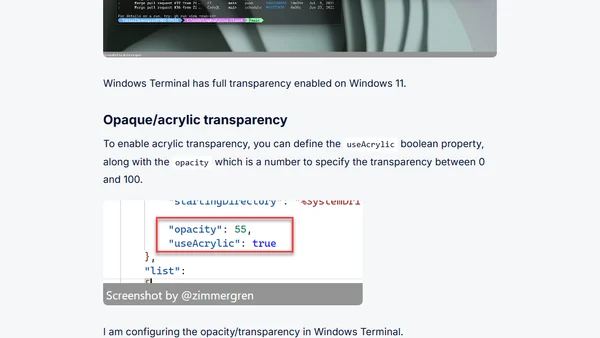
Read OriginalThis article provides a step-by-step guide on enabling transparent backgrounds in Windows Terminal, covering both full unblurred transparency (Windows 11 only) and acrylic transparency. It explains how to edit the settings.json file to set opacity and useAcrylic properties, along with troubleshooting tips like enabling Windows Transparency Effects and avoiding battery saver mode. Part of a series on Windows Terminal customization, it targets tech users interested in improving their terminal appearance.
Comments
No comments yet
Be the first to share your thoughts!
Browser Extension
Get instant access to AllDevBlogs from your browser
Top of the Week
No top articles yet