

Set images as background in Windows Terminal
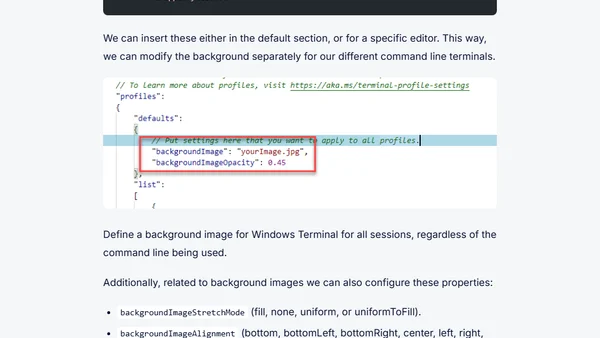
Read OriginalThis article is part of a series on Windows Terminal tips and tricks. It provides a step-by-step guide on how to configure a background image in Windows Terminal by editing the settings JSON file. It covers inserting properties like backgroundImage, backgroundImageOpacity, backgroundImageStretchMode, and backgroundImageAlignment, either globally or per profile. The post also mentions enabling acrylic transparency for a better visual experience. Aimed at IT professionals and tech enthusiasts customizing their terminal environment.
Comments
No comments yet
Be the first to share your thoughts!
Browser Extension
Get instant access to AllDevBlogs from your browser
Top of the Week
No top articles yet