

Run Azure DevOps Unit Tests with the Azure Storage Emulator on Hosted build agents
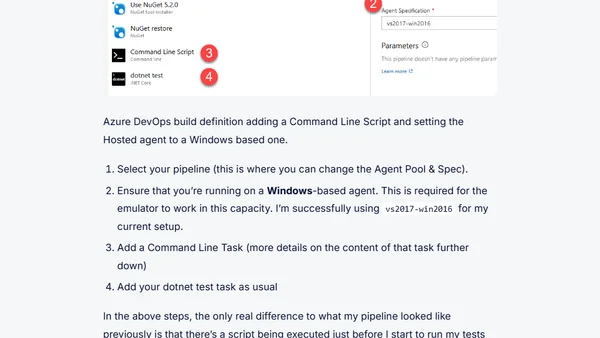
Read OriginalThis article provides a step-by-step guide on how to configure Azure DevOps pipelines to run unit tests using the Azure Storage Emulator on Windows-based hosted build agents. It explains the need for using the emulator for iterative storage operations and details the process: selecting a Windows agent (e.g., vs2017-win2016), adding a command-line script to create and start MSSQLLocalDB, and launching the Storage Emulator before running dotnet test tasks. The solution ensures tests pass successfully in CI/CD environments.
Comments
No comments yet
Be the first to share your thoughts!
Browser Extension
Get instant access to AllDevBlogs from your browser
Top of the Week
No top articles yet