

How to display files like PDFs, documents, GIFs, images and more in your app
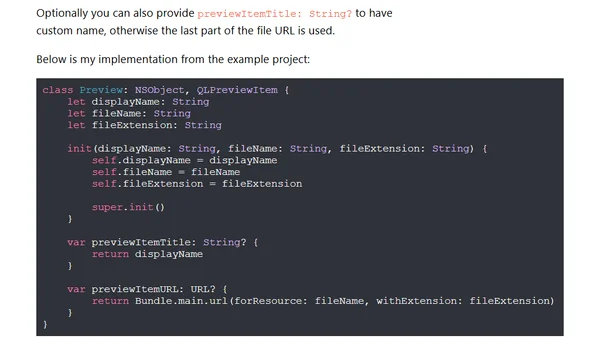
Read OriginalThis technical tutorial explains how to implement the Quick Look framework (QLPreviewController) in iOS to preview files such as PDFs, Word documents, presentations, GIFs, images, and ARKit models. It covers setting up the data source, creating QLPreviewItem objects, and integrating the controller with a table view for navigation.
0 comments
Comments
No comments yet
Be the first to share your thoughts!
Browser Extension
Get instant access to AllDevBlogs from your browser
Top of the Week
No top articles yet