

Make your images in markdown on GitHub adjust for Dark Mode and Light Mode
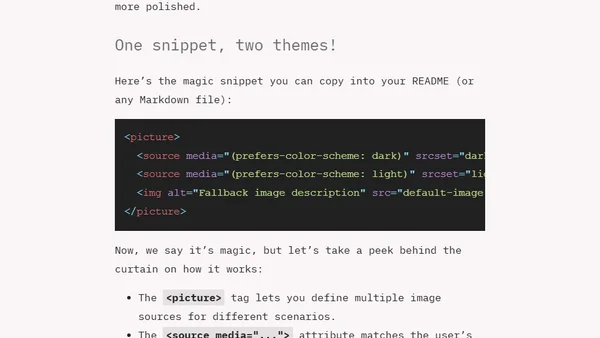
Read OriginalThis technical article explains how to make images in GitHub Markdown files dynamically adapt to the user's color scheme (dark or light mode). It provides a ready-to-use HTML snippet using the <picture> and <source> tags, explaining how the browser selects the appropriate image based on the 'prefers-color-scheme' media query to create a more polished project presentation.
0 comments
Comments
No comments yet
Be the first to share your thoughts!
Browser Extension
Get instant access to AllDevBlogs from your browser
Top of the Week
No top articles yet