

MOSS 2007: Customizing the Search Results Page (XSLT) - Part 2 - Add highlighting
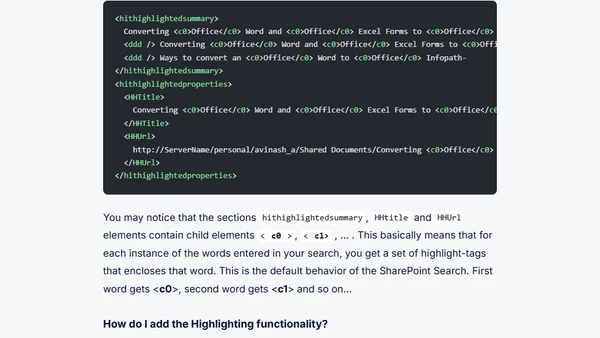
Read OriginalThis article is a technical tutorial for IT professionals on customizing the search results page in Microsoft Office SharePoint Server (MOSS) 2007 using XSLT. It focuses on implementing the HitHighlighting template to highlight search terms in the title, URL, and description of search results. The author explains the default behavior of SharePoint search, how to modify the XSLT in the Search Core Results Web Part, and provides code examples for styling highlighted words with custom colors. This is part 2 of a series, building on previous XSLT customization techniques.
0 comments
Comments
No comments yet
Be the first to share your thoughts!
Browser Extension
Get instant access to AllDevBlogs from your browser
Top of the Week
No top articles yet