

Terminal control sequences
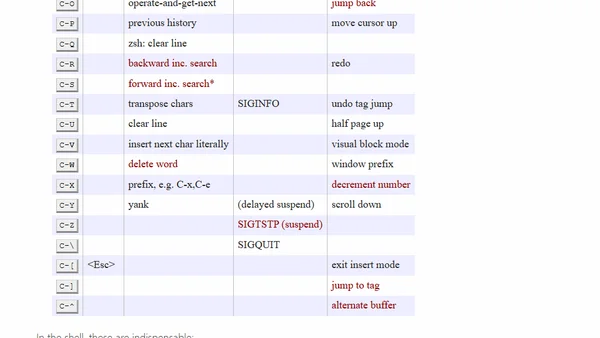
Read OriginalThis article provides a comprehensive overview of terminal control sequences and key bindings used in various contexts such as the shell (bash/zsh with Emacs key bindings), process control, and Vim. It explains common shortcuts like Ctrl-f for page down, Ctrl-c to kill processes, and Ctrl-z to suspend processes. The author highlights features important to them, including incremental search (Ctrl-r, Ctrl-s), number increment/decrement in Vim (Ctrl-a, Ctrl-x), and tag navigation. The article also includes tips for enabling Ctrl-s in bash and managing suspended processes with fg and jobs commands. It is a technical guide for terminal users and developers.
0 comments
Comments
No comments yet
Be the first to share your thoughts!
Browser Extension
Get instant access to AllDevBlogs from your browser
Top of the Week
No top articles yet