

How to install OS X Yosemite Developer Preview Beta in Virtualbox
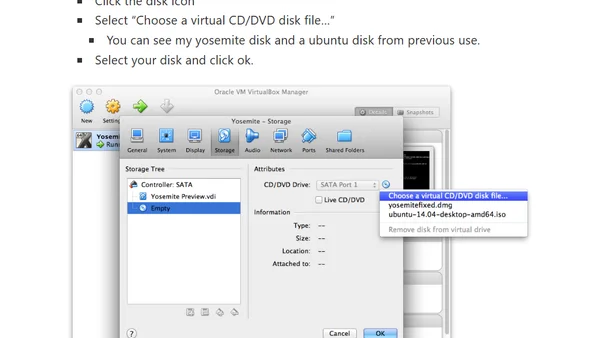
Read OriginalThis technical tutorial provides detailed instructions for developers to safely test the OS X Yosemite Developer Preview Beta. It covers downloading the preview, modifying the installation media with terminal commands, configuring a VirtualBox VM with specific settings, and completing the installation process within the virtual environment.
0 comments
Comments
No comments yet
Be the first to share your thoughts!
Browser Extension
Get instant access to AllDevBlogs from your browser
Top of the Week
No top articles yet