

Azure Web Apps Default Document not working
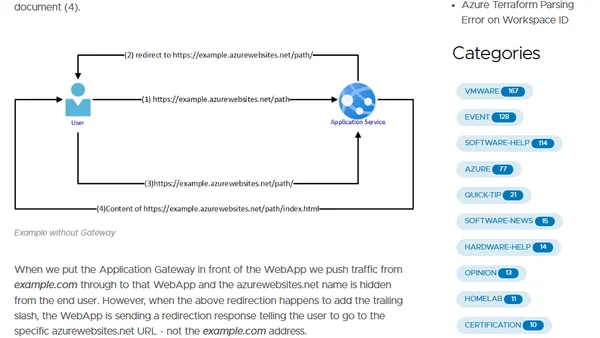
Read OriginalThis technical article explains a common issue where an Azure Web App behind an Application Gateway returns a 403 error when accessing a path without a trailing slash. It details the cause, involving redirects exposing the azurewebsites.net URL, and provides a solution using an Application Gateway rewrite rule to correct the redirect response.
Comments
No comments yet
Be the first to share your thoughts!
Browser Extension
Get instant access to AllDevBlogs from your browser
Top of the Week
No top articles yet