

Adding Buttons to the Navigation Bar with Storyboards
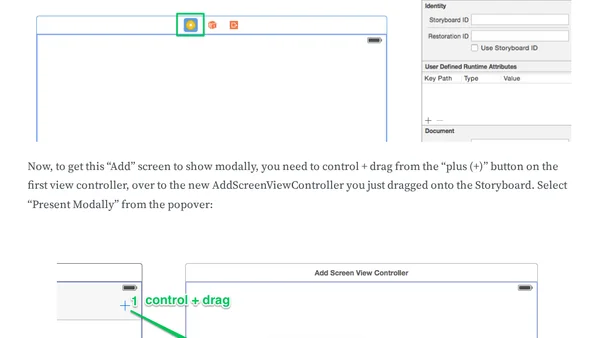
Read OriginalThis article provides a step-by-step tutorial for iOS developers on how to add buttons to the navigation bar in a Storyboard-based app using Xcode 8 and Swift 3. It covers embedding a view controller in a navigation controller, adding Bar Button Items from the Object Library, configuring system items like 'Add', and setting up a modal presentation with Cancel and Save buttons. The guide emphasizes doing everything within the Storyboard designer rather than in code, making it ideal for developers who prefer visual interface building. It includes practical examples and a link to a GitHub repository for reference.
Comments
No comments yet
Be the first to share your thoughts!
Browser Extension
Get instant access to AllDevBlogs from your browser
Top of the Week
No top articles yet